
Can You Watch Apple TV in Your Car? Apple TV and CarPlay
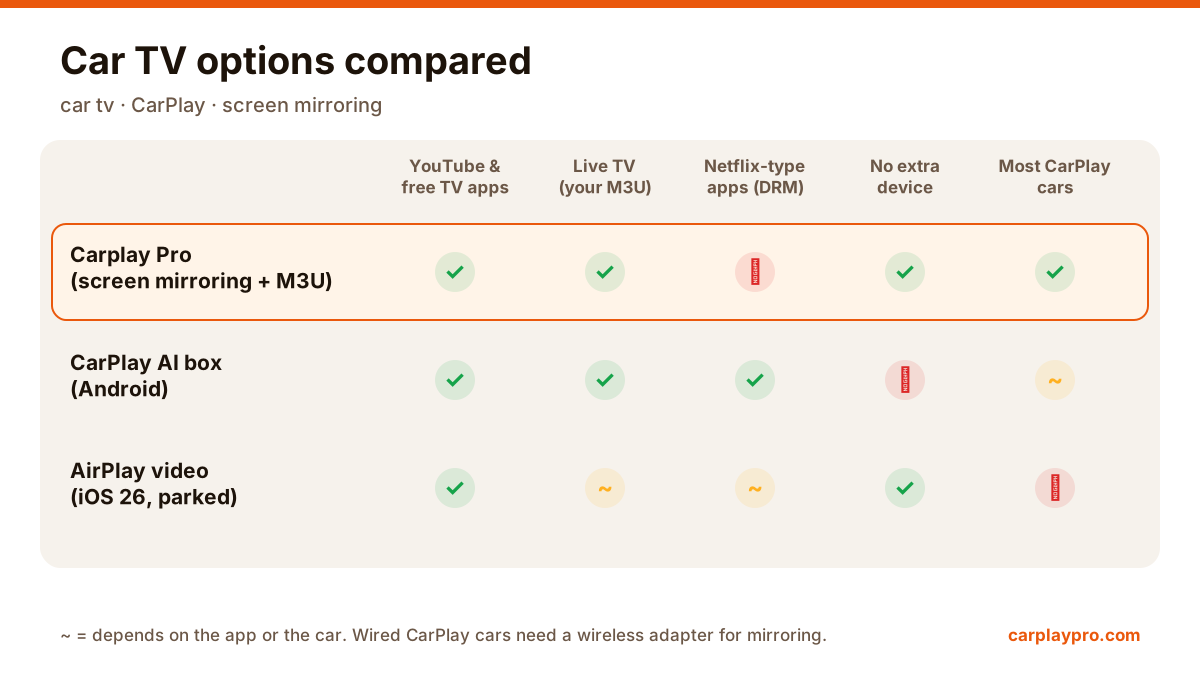
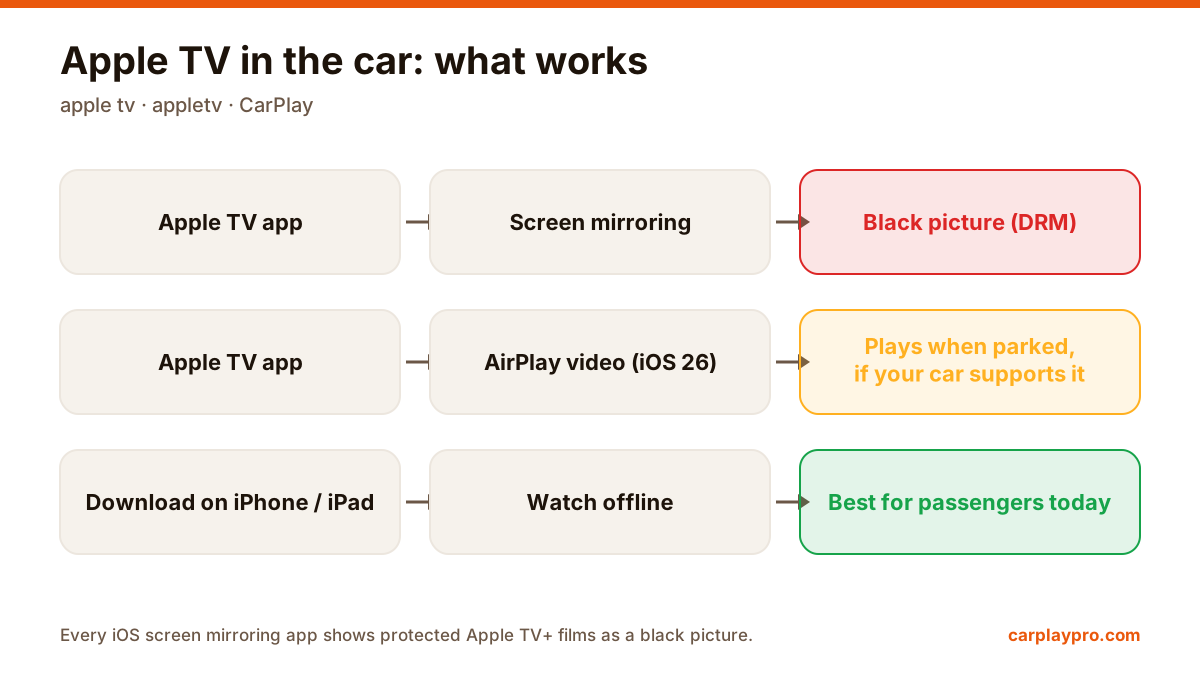
Apple TV in the car is possible, but not the way most people expect. What works with CarPlay, why mirroring shows a black screen, and the real options.
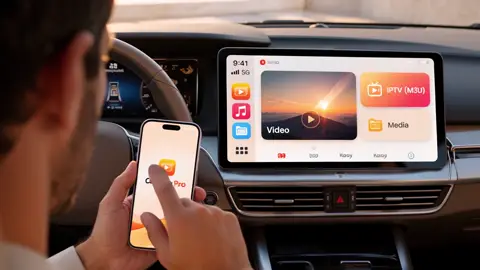
Carplay Pro mirrors your iPhone to your car display. Videos, social media, games and music: what you open on the phone shows up on the biggest screen in your car.
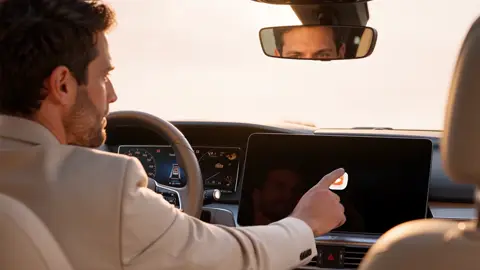
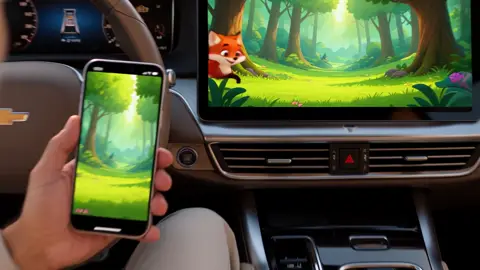
Your phone changes first, the car screen follows a moment later. That is screen mirroring with Carplay Pro.
Tap a tab and watch the car screen follow
If it runs on your iPhone, it shows on your car display. Watch, scroll, play and listen on the big screen while you are parked or on the go as a passenger.
Watch YouTube, films and clips on the car display while you wait.
Scroll your feeds, reels and stories on a screen made for sharing.
Play on your phone and see every move on the car screen at the same time.
Your playlists with big, easy-to-read controls.
Videos, social media and games are for when you are parked or for your passengers. While driving, keep your eyes on the road and follow your local traffic laws.
Connect to your car with wireless CarPlay or a CarPlay adapter.
Tap Mirror, or pick Video or Music for a layout sized for the car.
Open any app. Everything you do appears on the car screen.
Your full iPhone screen on your car display, in real time.
Bonus: add your own M3U links for live channels.
Free to download. Unlock more with Pro.
Use the app in your own language.
Carplay Pro mirrors your iPhone screen to your car display. When you open YouTube, a social app, a game or your music on the phone, the car screen shows it too.
Yes. Because Carplay Pro mirrors your screen, the apps you use on your iPhone appear on the car display. Use them while parked or let your passengers enjoy them.
Yes. Play the game on your iPhone and the car display shows it at the same time. Passengers like it on long trips, and it helps pass a long stop.
An iPhone and a car with wireless CarPlay, or a car with wired CarPlay and a wireless CarPlay adapter.
Yes, Carplay Pro is free to download. Some advanced features are available with a Pro subscription inside the app.
Carplay Pro works with cars that support CarPlay. Features available on the car screen can vary by car model and system version.
Yes, as an extra. Add your M3U playlist link and your channels appear in the app. Carplay Pro does not provide channels; you use your own sources.
No. For your safety, videos, social media and games are meant for parked use or passengers. Always follow local traffic laws.
Apple TV in the car is possible, but not the way most people expect. What works with CarPlay, why mirroring shows a black screen, and the real options.
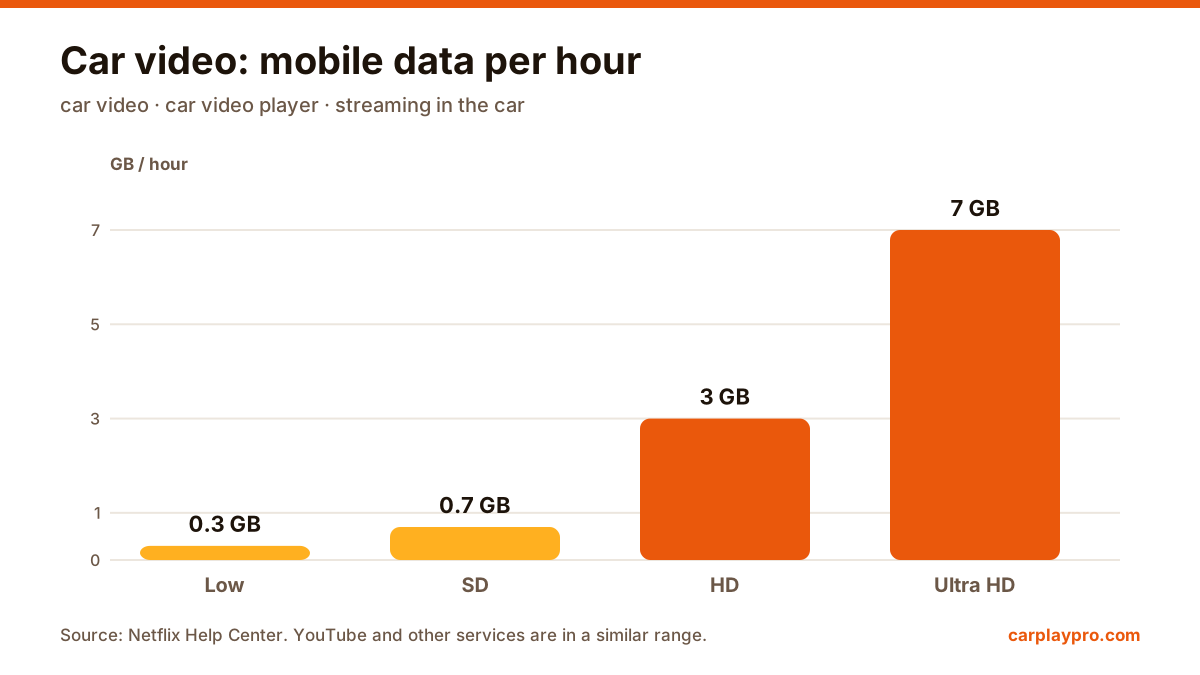
The real ways to play video on a car screen with an iPhone: USB files, screen mirroring, AirPlay in iOS 26, AI boxes and tablets, with data use for each.
Want car TV on the dashboard display? The real options for watching TV in your car with an iPhone, what each needs, and which ones actually work.

Carplay Pro is coming soon to the App Store. It will be free to download.