Car Video Player: 5 Ways to Play Videos on Your Car Screen
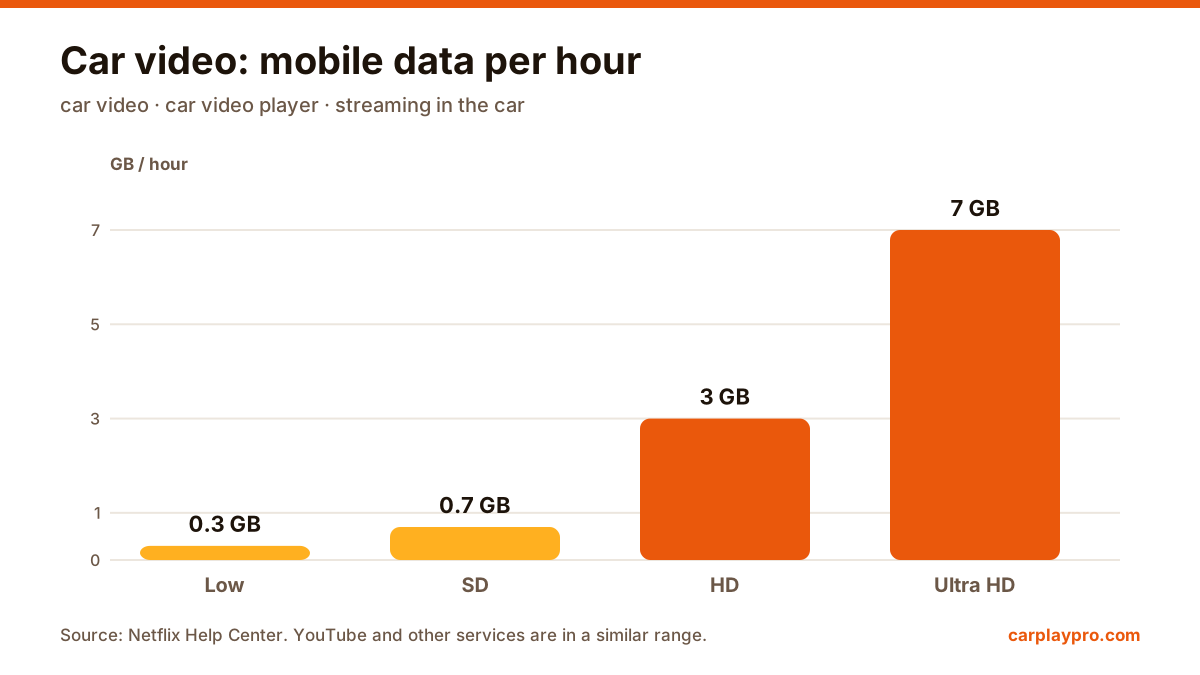
The real ways to play video on a car screen with an iPhone: USB files, screen mirroring, AirPlay in iOS 26, AI boxes and tablets, with data use for each.
Apple TV in the car is possible, but not the way most people expect. What works with CarPlay, why mirroring shows a black screen, and the real options.
 Carplay Pro 4 min read
You cannot open the Apple TV app on a normal CarPlay screen, and mirroring it from your iPhone shows a black picture with sound. The only official way to watch Apple TV on the car display is AirPlay video in iOS 26, and that only works while parked in cars whose maker has turned the feature on.
That answer surprises a lot of people, because Apple makes both CarPlay and Apple TV. Below is why it works this way and what you can do instead.
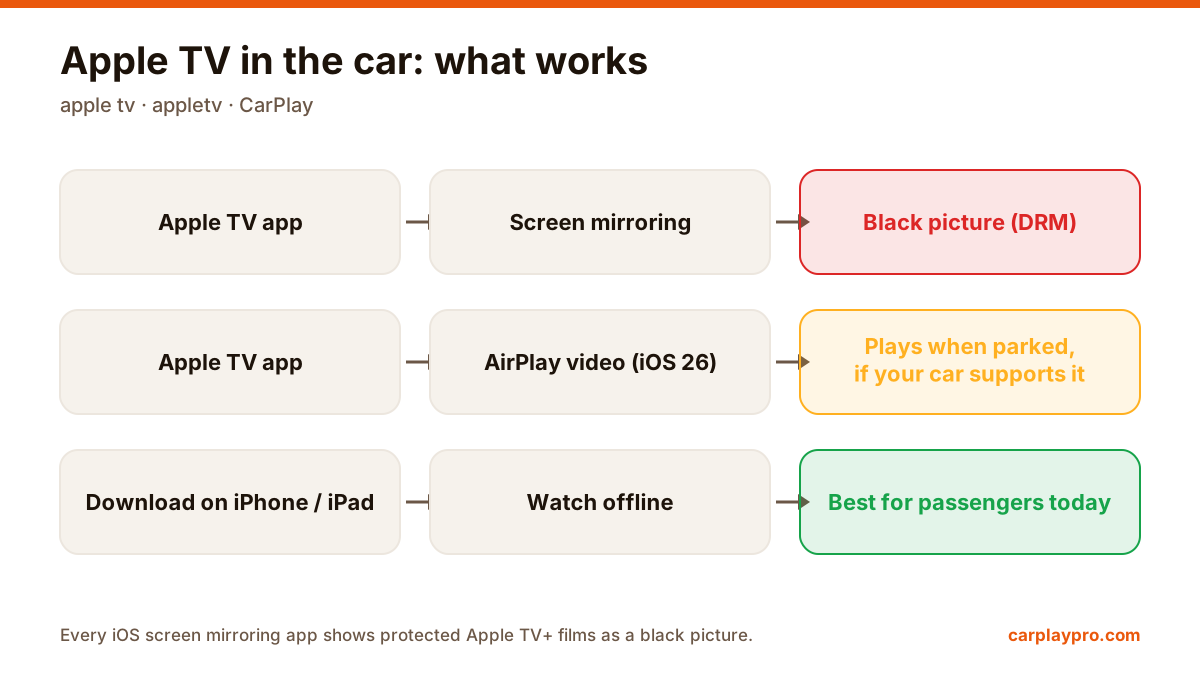
Apple TV (appletv) in the car: three routes, three very different results.
First, a quick note on names. “Apple TV” (people also search “appletv”) can mean three things: the Apple TV app on your iPhone, the Apple TV+ subscription service inside it, and the Apple TV box you connect to a television. In the car, only the first two matter.
CarPlay only shows apps from categories Apple allows on the car screen while driving, such as navigation, audio, messaging and EV charging. Video apps are not one of them. So even with the Apple TV app installed, there is no Apple TV icon on the CarPlay home screen.
Screen mirroring apps send a copy of the iPhone screen to the car. That works for most apps, but films and series in the Apple TV app are protected with DRM (digital rights management). When iOS detects that the screen is being recorded or mirrored, protected video is blanked out: you hear the sound, but the picture is black.
This is not a bug in your car or in the mirroring app. Every screen mirroring app on iOS, including Carplay Pro, hits the same wall with Apple TV and with most paid streaming services. Some forum posts suggest workarounds that record the screen with a second device; that bypasses copy protection, may break the service’s terms, and we do not recommend it.
iOS 26 added AirPlay video to CarPlay. When the car is parked, compatible head units can receive video from the iPhone, including from video apps. Playback stops automatically when the car starts moving.
The catch is support. The car maker has to enable it in the infotainment system, and regional safety rules can block it. As of early 2026, reports found practically no cars on the road with it switched on. If your car gets a software update, check its release notes for “AirPlay” or “video while parked”.
The Apple TV app lets you download films and episodes for offline viewing. For passengers, especially children in the back, an iPad on a headrest mount with downloaded episodes is still the simplest and most reliable setup, and it uses no mobile data on the road.
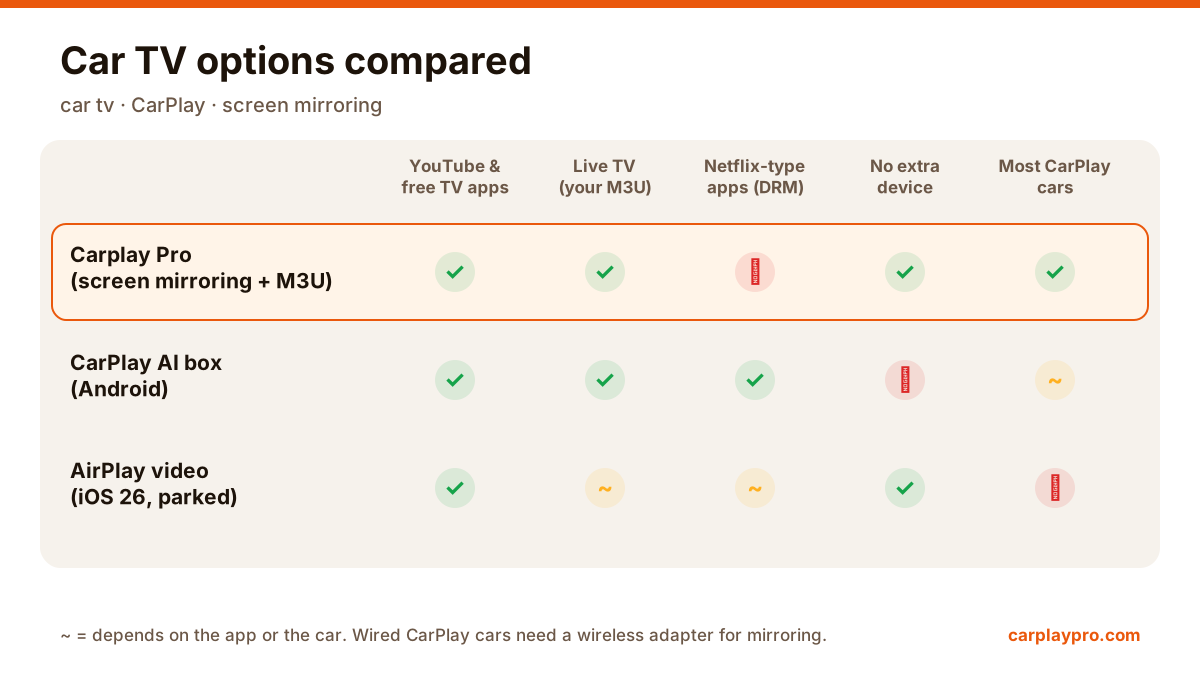
If what you really want is entertainment on the dashboard while parked, many apps are not DRM-protected: YouTube, free TV channel apps, sports highlights, social media and most games. These mirror normally, and this is where Carplay Pro earns its place: open any of them on the iPhone and the car screen shows it, in landscape, with the sound through the car speakers. We would rather tell you plainly that Apple TV+ is the exception than have you find out in a car park. Our guide to CarPlay screen mirroring shows what to expect.
An AI box is a small Android device that plugs into the car’s CarPlay port and runs its own streaming apps. Some can run services that the iPhone cannot mirror. Check carefully before buying: app availability on these boxes changes, many ship with old Android versions, and they only work with wired CarPlay.
| Question | Answer |
|---|---|
| Is the Apple TV app in CarPlay? | No |
| Can I mirror Apple TV+ to the car? | No, DRM gives a black picture |
| Does iOS 26 allow video in CarPlay? | Yes, via AirPlay, parked only, if the car supports it |
| Best option for passengers today? | Downloaded episodes on an iPad or iPhone |
Even where video is possible, it is for parked moments and passengers. The driver should never watch while the car is moving, and local traffic laws apply everywhere.
For a side-by-side look at the different ways to get video onto a car display, see our car video player guide.
The real ways to play video on a car screen with an iPhone: USB files, screen mirroring, AirPlay in iOS 26, AI boxes and tablets, with data use for each.
Want car TV on the dashboard display? The real options for watching TV in your car with an iPhone, what each needs, and which ones actually work.
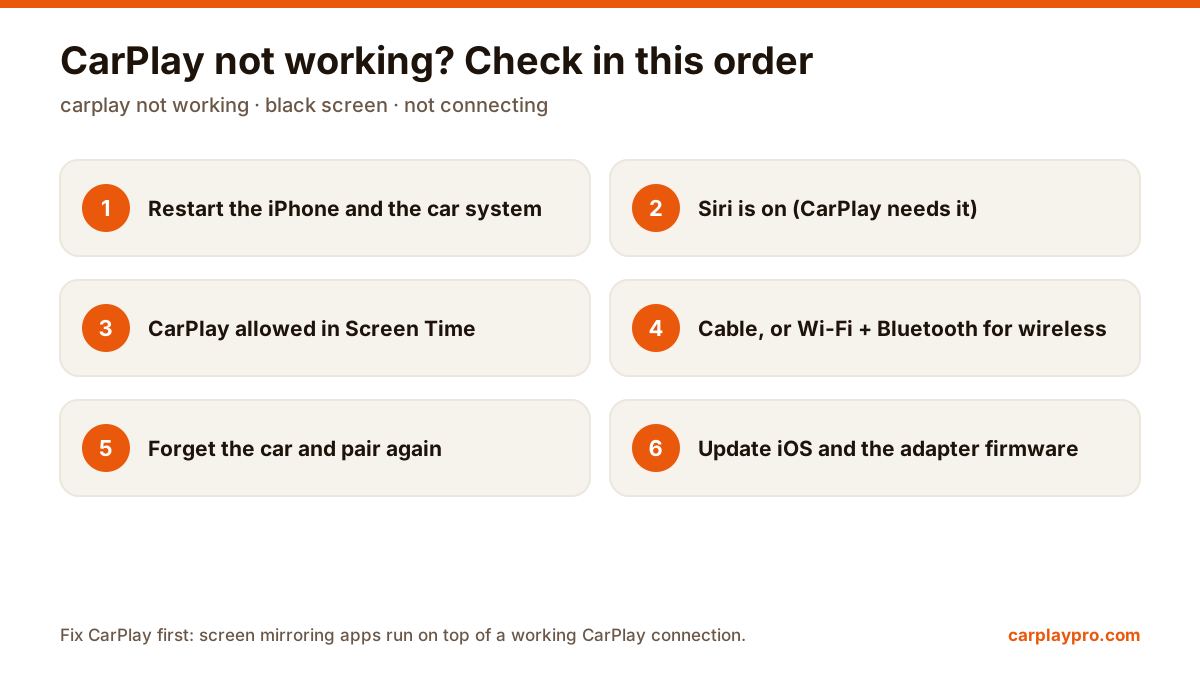
CarPlay not connecting, black screen or dropping out? Work through these fixes in order, from Siri and Screen Time settings to cables and adapter firmware.