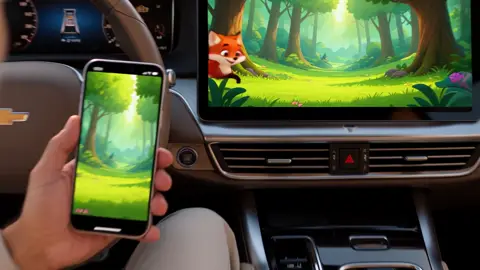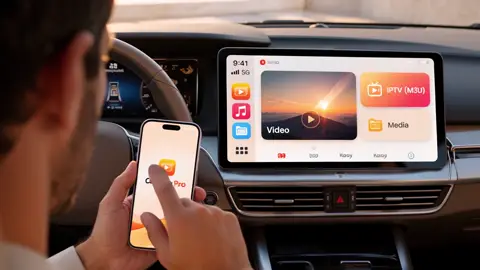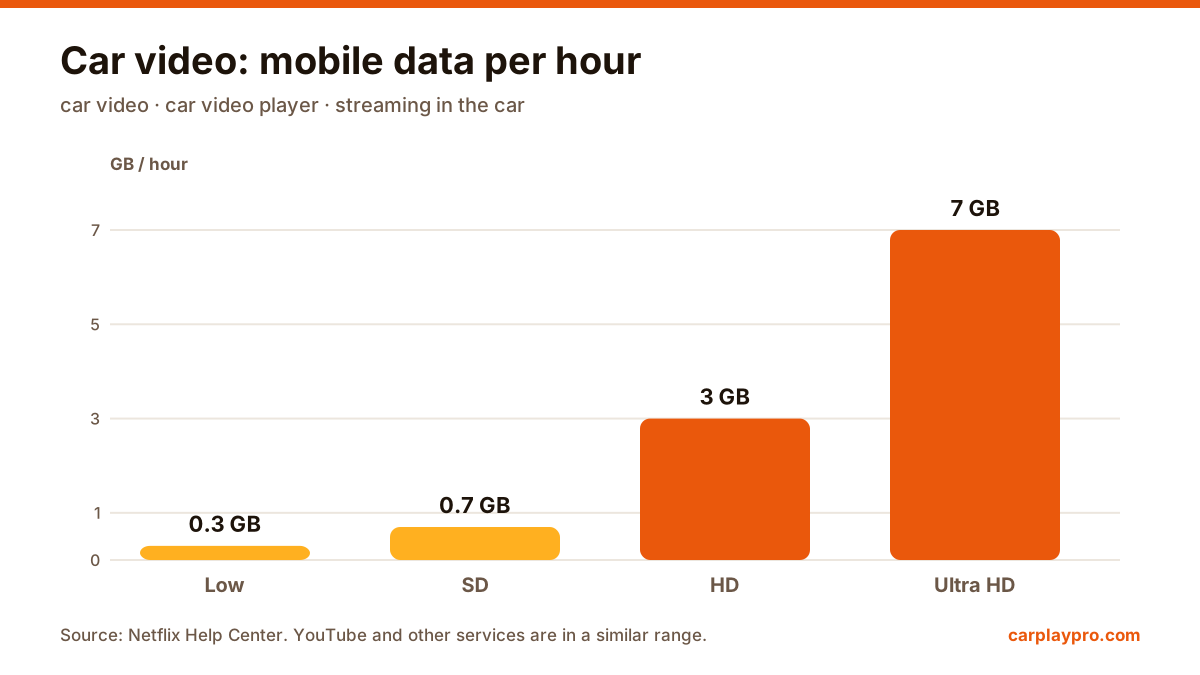
Car Video Player: 5 Ways to Play Videos on Your Car Screen
The real ways to play video on a car screen with an iPhone: USB files, screen mirroring, AirPlay in iOS 26, AI boxes and tablets, with data use for each.
Guides and tips about mirroring your iPhone to your car screen: videos, YouTube, social media, games, music and CarPlay setup.
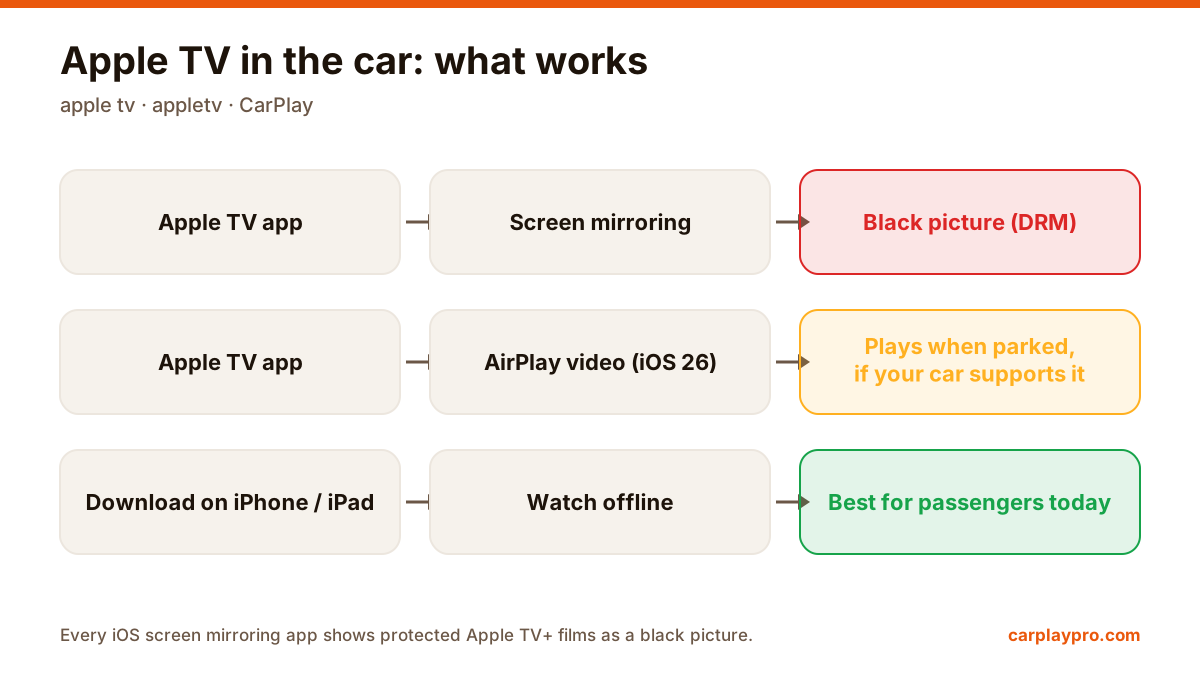 apple tv
Apple TV in the car is possible, but not the way most people expect. What works with CarPlay, why mirroring shows a black screen, and the real options.
The real ways to play video on a car screen with an iPhone: USB files, screen mirroring, AirPlay in iOS 26, AI boxes and tablets, with data use for each.
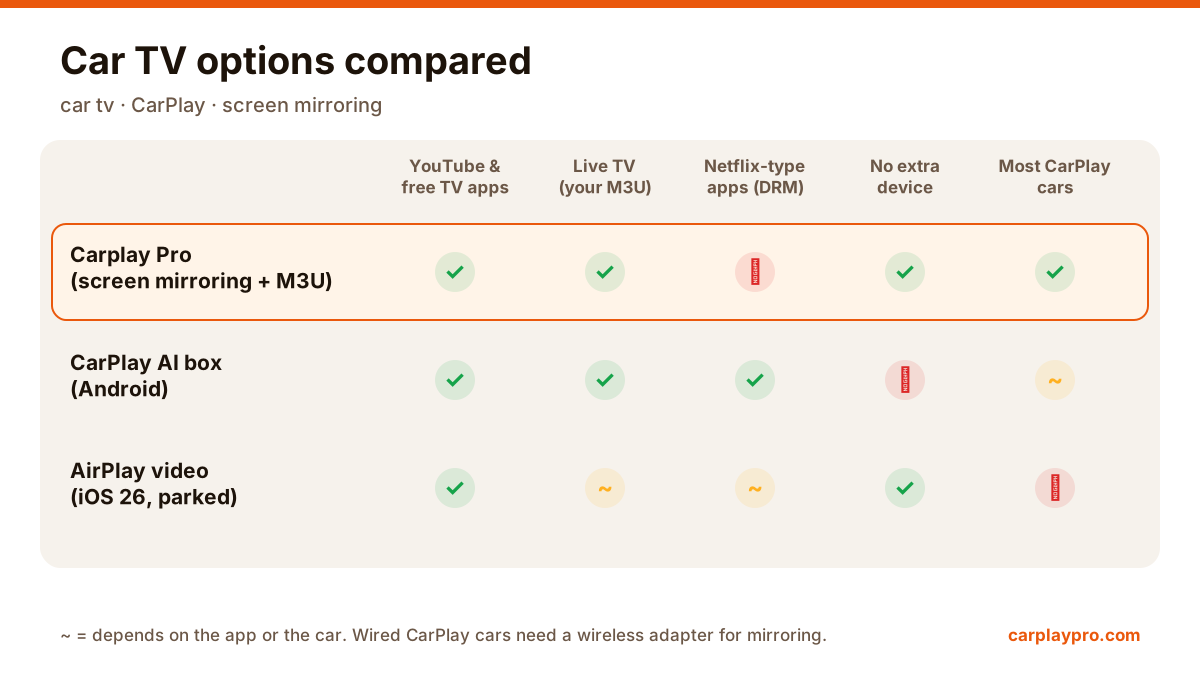
Want car TV on the dashboard display? The real options for watching TV in your car with an iPhone, what each needs, and which ones actually work.
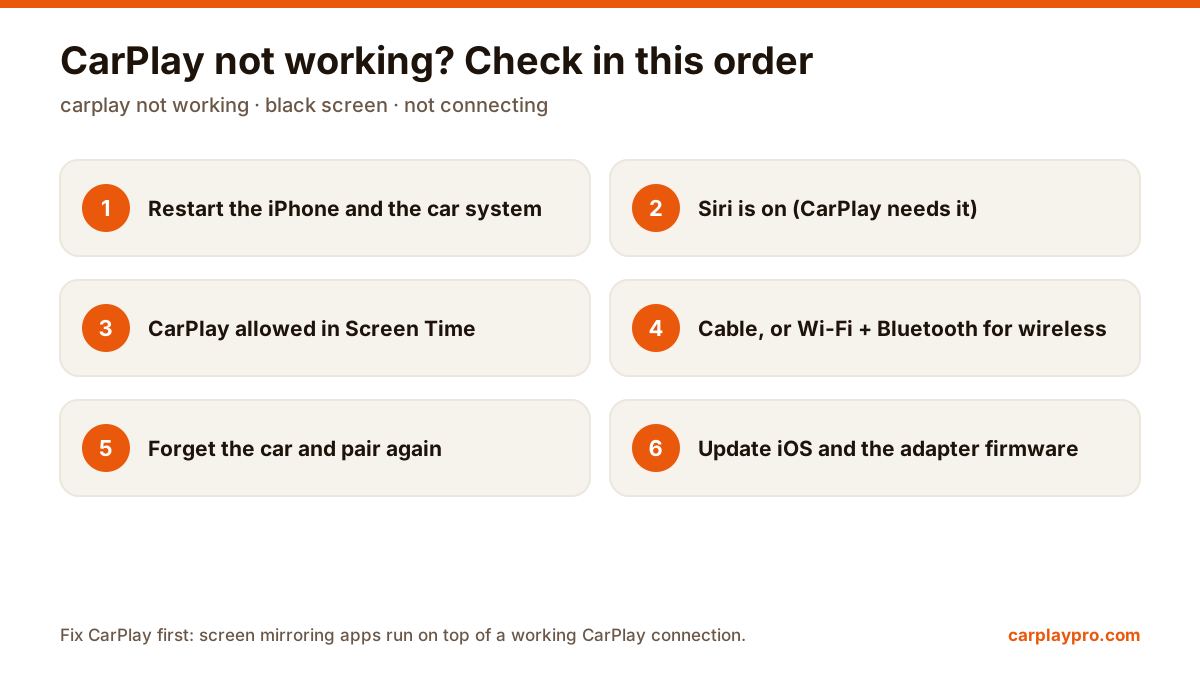
CarPlay not connecting, black screen or dropping out? Work through these fixes in order, from Siri and Screen Time settings to cables and adapter firmware.
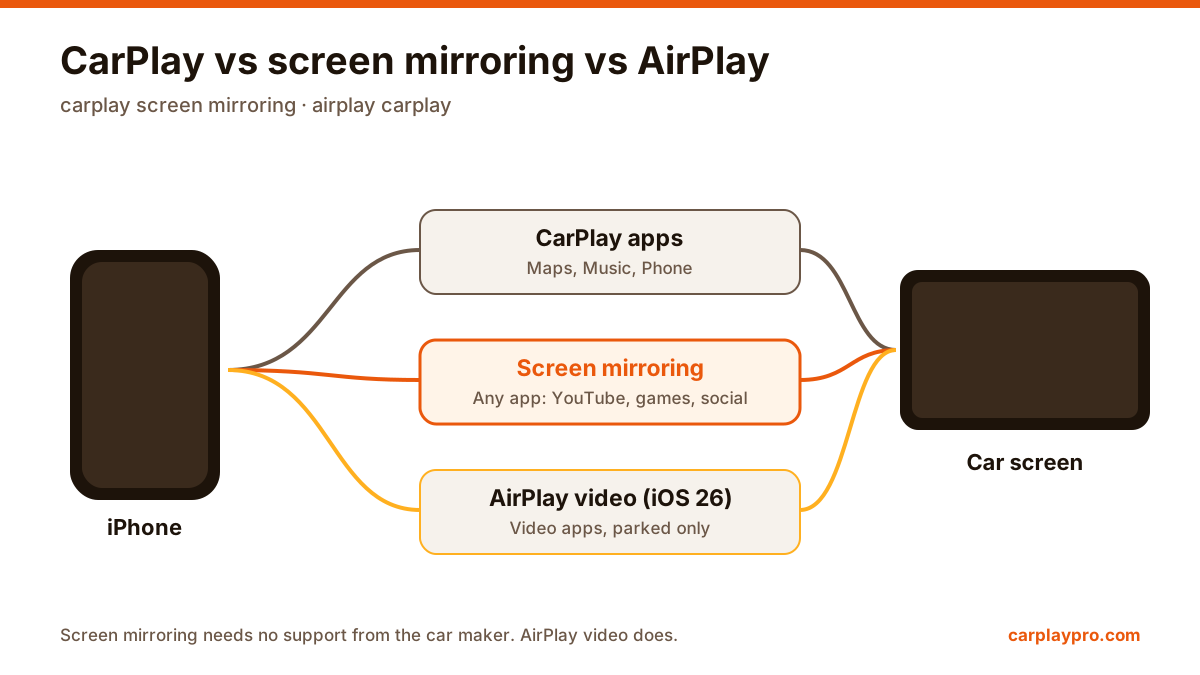
Screen mirroring, CarPlay apps and AirPlay in the car are three different things. How each works, what it can show, and which one you need.
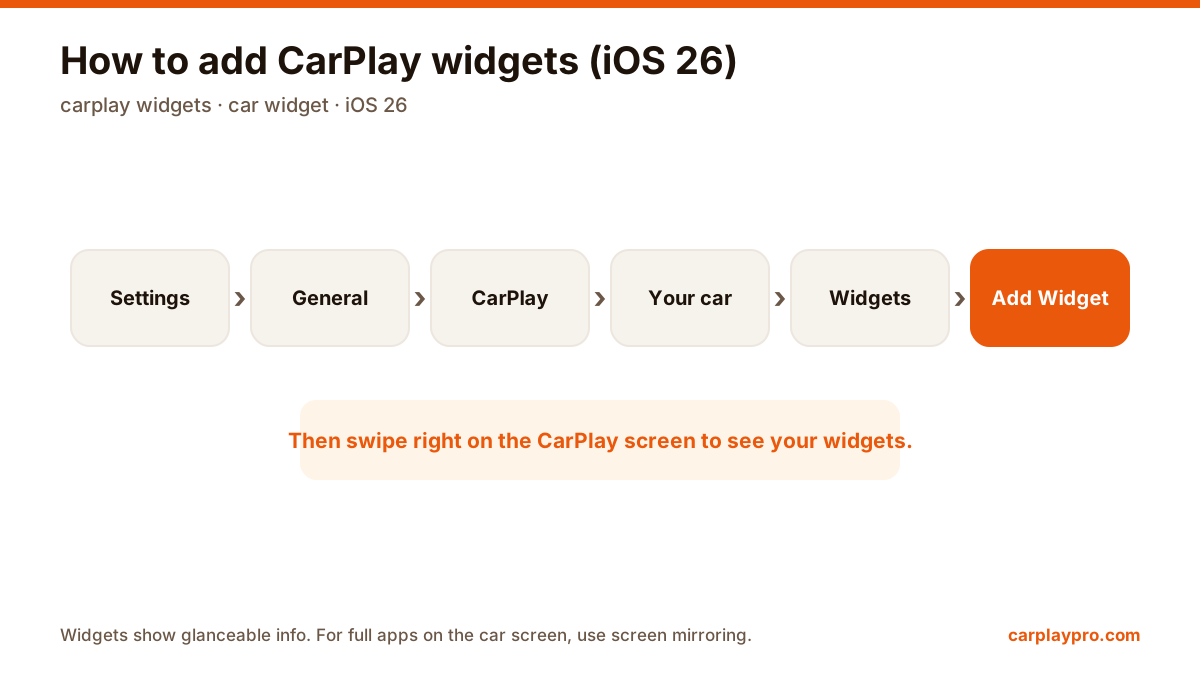
iOS 26 brings widgets to CarPlay. How to add, arrange and turn off car widgets step by step, which ones are worth it, and what widgets cannot do.
Standard CarPlay does not show YouTube, but you can mirror your iPhone to the car display. Here is how to set it up, plus tips for sound, quality and data.
Mirror your iPhone to the car display with wireless CarPlay or an adapter. What you need, the setup, what to expect, and fixes for black screens and drops.
Learn what an M3U playlist is, how to add one to Carplay Pro and how to get smooth IPTV playback on your car display while parked.
Does your car only have wired CarPlay? Here is how wireless CarPlay adapters work, what to check before buying one and how to get the best connection.

Carplay Pro is coming soon to the App Store. It will be free to download.