Can You Watch Apple TV in Your Car? Apple TV and CarPlay
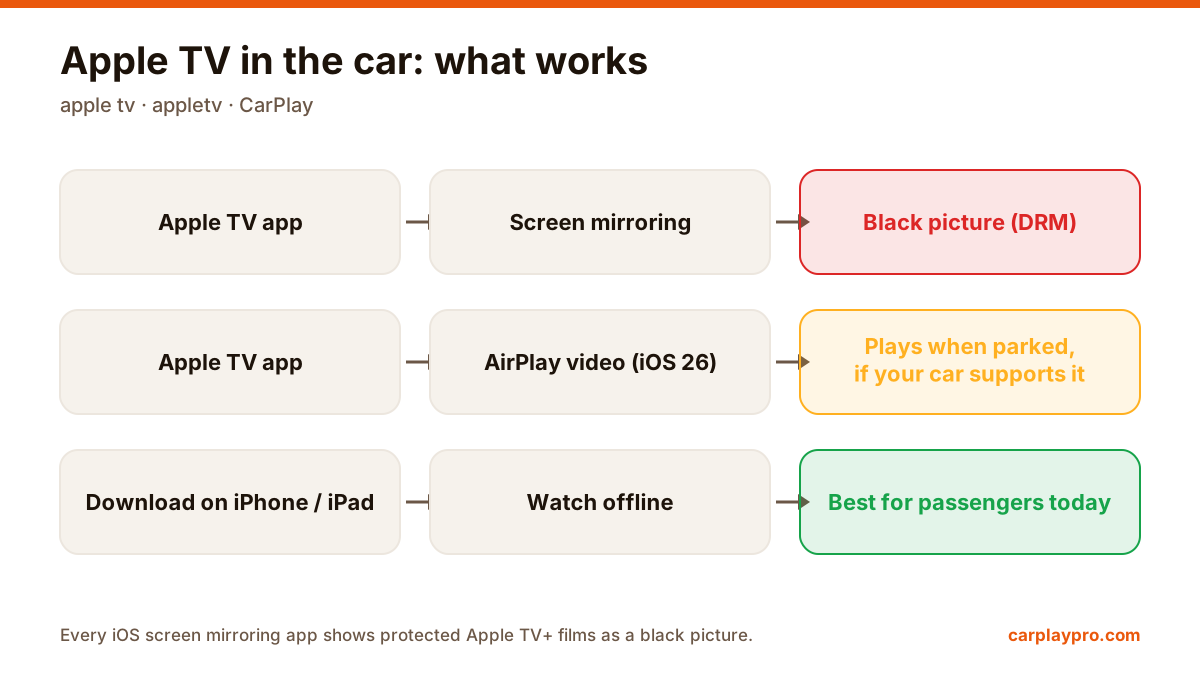
Apple TV in the car is possible, but not the way most people expect. What works with CarPlay, why mirroring shows a black screen, and the real options.
Screen mirroring, CarPlay apps and AirPlay in the car are three different things. How each works, what it can show, and which one you need.
 Carplay Pro 3 min read
CarPlay screen mirroring means sending a live copy of your iPhone screen to the car display, so apps that have no CarPlay version, like YouTube or games, appear on the dashboard. It is different from normal CarPlay apps, which are built specially for the car, and from AirPlay video, which Apple added to CarPlay in iOS 26 for parked cars.
These three get mixed up all the time, even in car dealerships, so here is how they differ in practice.
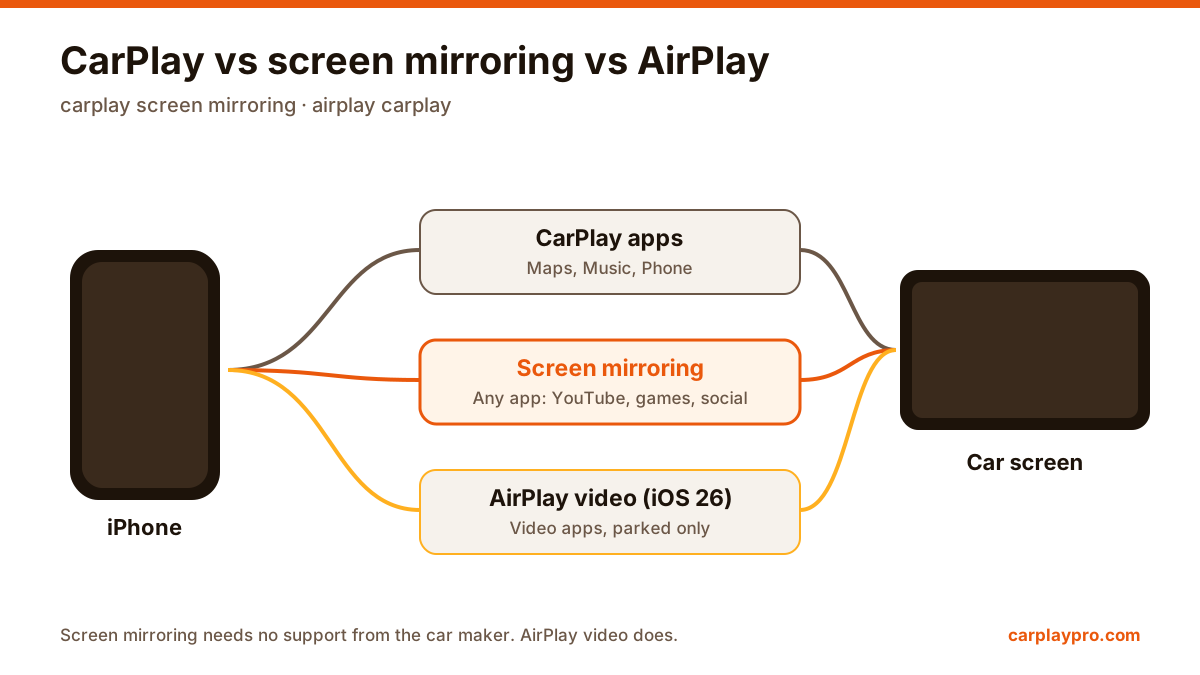
Three ways from the iPhone to the car screen. Only screen mirroring shows any app without help from the car maker.
When you connect an iPhone, CarPlay shows a car-sized home screen with apps such as Maps, Music, Phone and Messages. Each of these is a special CarPlay version of the app. Apple decides which categories are allowed: navigation, audio, messaging, calling, EV charging, parking, and a few more.
What you see: a simplified layout with big buttons, designed to be used while driving. What you cannot see: anything outside those categories, such as YouTube, Instagram, games or the web browser.
A mirroring app sends whatever is on the iPhone screen to the car display, in real time. It does not matter whether the app has a CarPlay version, because the car simply shows a picture of the phone screen.
What you see: the actual iPhone screen, in portrait or landscape. Video apps, social feeds, games, photos, the browser. How you control it: on the phone. The car screen shows the picture; taps happen on the iPhone. What you need: wireless CarPlay, or wired CarPlay with a wireless adapter, plus a mirroring app such as Carplay Pro.
Carplay Pro is our own app, so we are biased, but we built it around the three things people complain about with mirroring: it shows the phone full screen in landscape so video fills a wide display, it adds car-sized layouts for video and music, and it plays your own M3U playlists for live channels.
Things to know before you start:
iOS 26 lets compatible cars receive AirPlay video while parked. Unlike mirroring, AirPlay sends the video stream itself rather than a picture of the whole screen, so it can carry content from video apps that support AirPlay. Playback stops as soon as the car moves.
The catch: the car maker must enable it. Very few cars support it so far.
| CarPlay apps | Screen mirroring | AirPlay video (iOS 26) | |
|---|---|---|---|
| Shows any iPhone app | No | Yes | Only video apps with AirPlay |
| Works while driving | Yes | Parked or passengers | No, parked only |
| Protected films (DRM) | n/a | Black picture | Depends on the app |
| Needs car maker support | No | No | Yes |
| Control | Car screen | iPhone | iPhone |
Most problems are not caused by the mirroring app but by the CarPlay connection underneath. Make sure normal CarPlay works first. If it does not, start with our list of fixes when CarPlay is not working.
And as always, video and games on the car screen are for parked use and passengers, never for the driver while the car is moving.
Apple TV in the car is possible, but not the way most people expect. What works with CarPlay, why mirroring shows a black screen, and the real options.
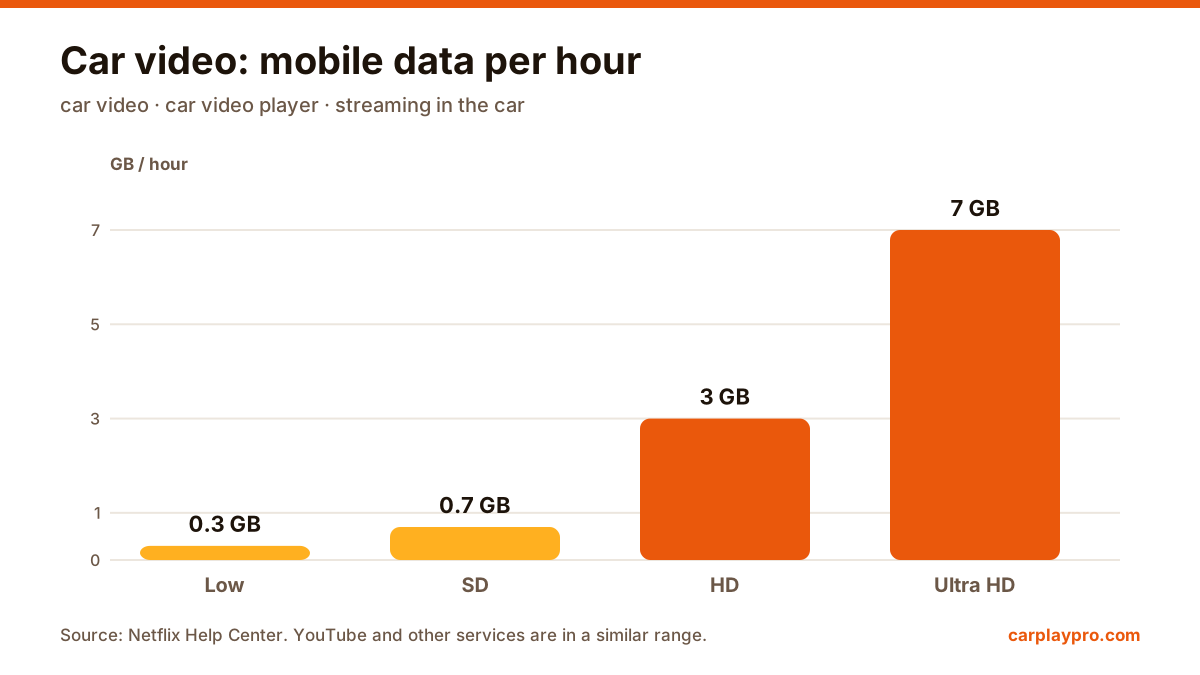
The real ways to play video on a car screen with an iPhone: USB files, screen mirroring, AirPlay in iOS 26, AI boxes and tablets, with data use for each.
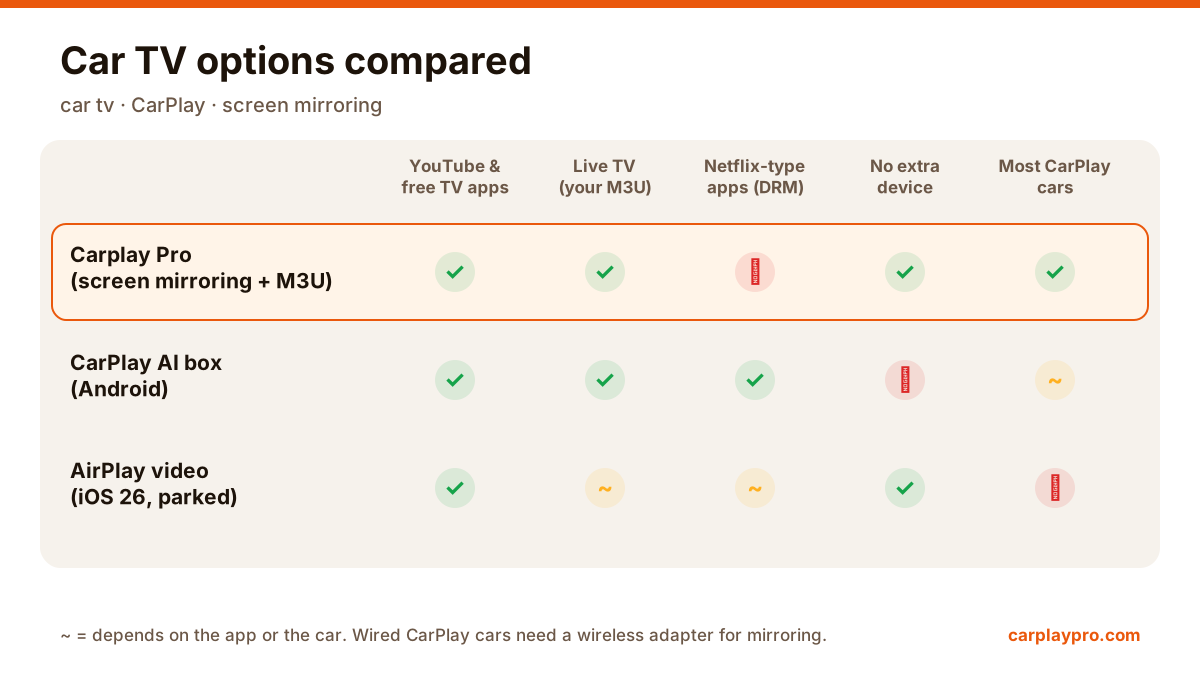
Want car TV on the dashboard display? The real options for watching TV in your car with an iPhone, what each needs, and which ones actually work.