Can You Watch Apple TV in Your Car? Apple TV and CarPlay
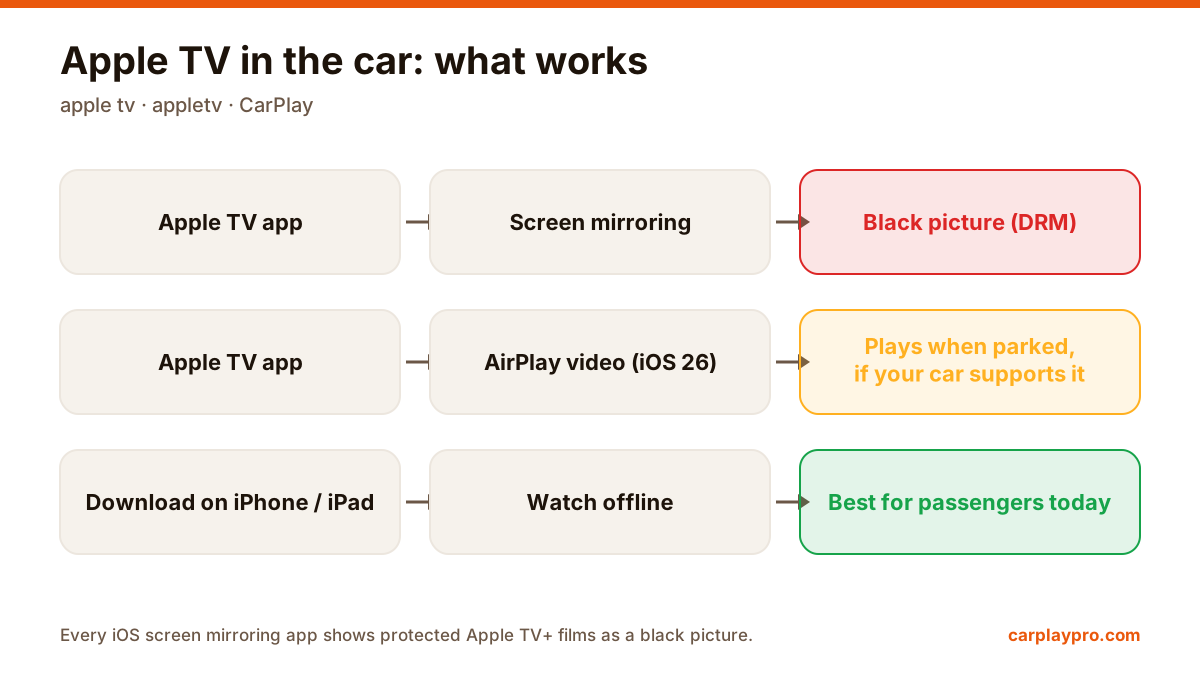
Apple TV in the car is possible, but not the way most people expect. What works with CarPlay, why mirroring shows a black screen, and the real options.
CarPlay not connecting, black screen or dropping out? Work through these fixes in order, from Siri and Screen Time settings to cables and adapter firmware.
 Carplay Pro 3 min read
When CarPlay is not working, the cause is usually one of six things: a glitch that a restart clears, Siri turned off, CarPlay blocked in Screen Time, a bad cable or wireless link, a broken pairing, or outdated software. Check them in that order and most problems are solved within ten minutes.
The order matters. People often start by buying a new cable or adapter, when the real cause is a setting on the phone that costs nothing to fix.
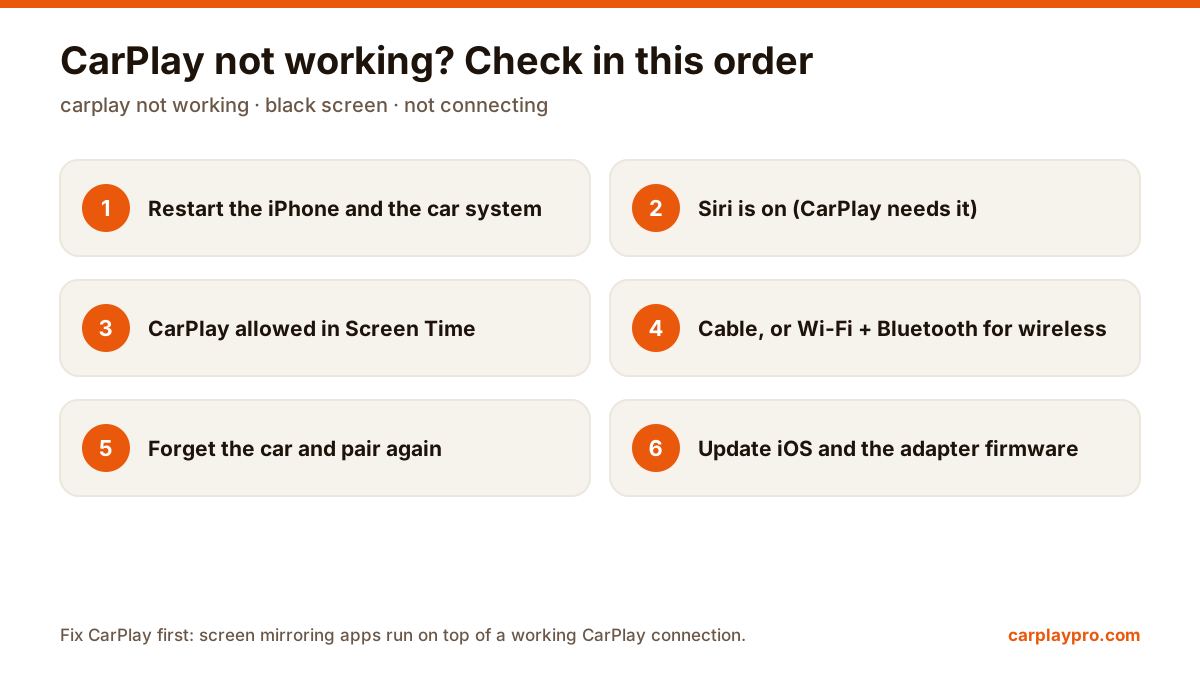
The CarPlay troubleshooting order we recommend. Each step takes a minute or two.
It sounds too simple, but it clears most one-off problems. Restart the iPhone. For the car, switching it off, opening and closing the driver’s door and waiting a minute usually resets the infotainment system; your owner’s manual may list a proper reset.
CarPlay depends on Siri. If Siri is switched off, CarPlay may not appear at all. Go to Settings > Siri and turn on at least “Press Side Button for Siri” or the voice activation option.
Screen Time can hide CarPlay completely, and this one catches a lot of people with work phones or family settings. Open Settings > Screen Time > Content & Privacy Restrictions > Allowed Apps and check that CarPlay is on.
A corrupted pairing causes strange symptoms: a black screen, CarPlay starting then quitting, or no sound. Go to Settings > General > CarPlay, choose the car and tap Forget This Car. Remove it from Bluetooth as well, then pair from scratch.
Update the iPhone first. Car makers also release infotainment updates, sometimes through the dealer. If you use a wireless CarPlay adapter, its firmware is the single most common source of disconnects; check the maker’s site or app for an update. Our wireless CarPlay adapter guide covers what to look for.
| Symptom | Start with |
|---|---|
| CarPlay never appears | Siri, Screen Time, cable or port |
| Black screen | Restart both, then forget and pair again |
| Drops every few minutes | Cable, adapter firmware, phone hotspot off |
| No sound | Audio source set to CarPlay in the car |
| Works only when unlocked | Allow Accessories when locked |
If you use a screen mirroring app such as Carplay Pro, it runs on top of the CarPlay connection. When CarPlay is stable, mirroring is stable; most “mirroring problems” we hear about turn out to be one of the CarPlay issues above. Once CarPlay works, see CarPlay screen mirroring explained to get the best picture on the car display.
Apple TV in the car is possible, but not the way most people expect. What works with CarPlay, why mirroring shows a black screen, and the real options.
The real ways to play video on a car screen with an iPhone: USB files, screen mirroring, AirPlay in iOS 26, AI boxes and tablets, with data use for each.
Want car TV on the dashboard display? The real options for watching TV in your car with an iPhone, what each needs, and which ones actually work.