Can You Watch Apple TV in Your Car? Apple TV and CarPlay
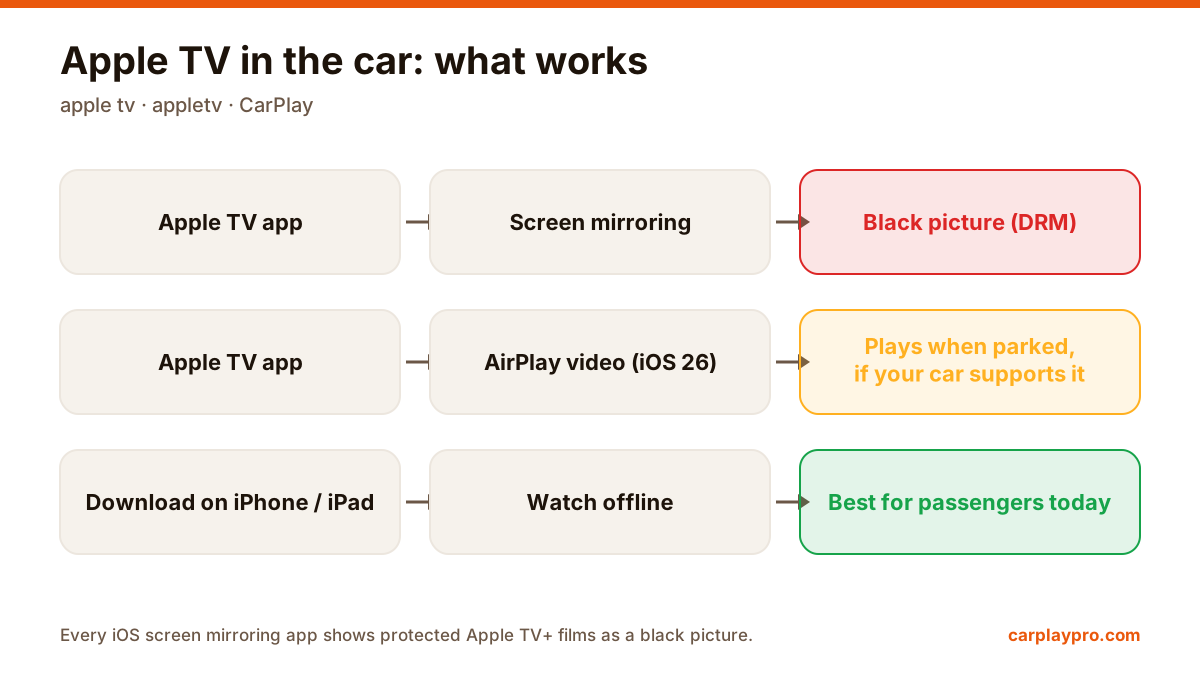
Apple TV in the car is possible, but not the way most people expect. What works with CarPlay, why mirroring shows a black screen, and the real options.
Does your car only have wired CarPlay? Here is how wireless CarPlay adapters work, what to check before buying one and how to get the best connection.
 Carplay Pro 2 min read
Many cars support CarPlay only with a cable. A wireless CarPlay adapter is a small device that plugs into the car’s USB port and lets your iPhone connect without a cable. It is also one of the easiest ways to use screen mirroring apps like Carplay Pro in a car with wired CarPlay.
The adapter plugs into the USB port your car uses for CarPlay. Your iPhone pairs with the adapter over Bluetooth and then streams over Wi-Fi. To the car, it looks just like an iPhone connected with a cable.
Adapters convert wired CarPlay into wireless CarPlay. If your car has no CarPlay at all, an adapter will not add it.
Choose an adapter whose maker publishes firmware updates. Updates often fix connection drops and add support for new iOS versions.
Some adapters take longer to connect after you start the car. Reviews from owners of the same car model are the best guide.
Some cars have more than one USB port, and only one supports CarPlay. Use that one. A few adapters need extra power and come with a Y-cable.
With an adapter connected, Carplay Pro can mirror your iPhone to the car screen the same way it does in a car with built-in wireless CarPlay. What you can show can vary by car model and adapter, so try your setup once while parked. Our step-by-step guide on mirroring an iPhone to the car screen picks up from here.
Apple TV in the car is possible, but not the way most people expect. What works with CarPlay, why mirroring shows a black screen, and the real options.
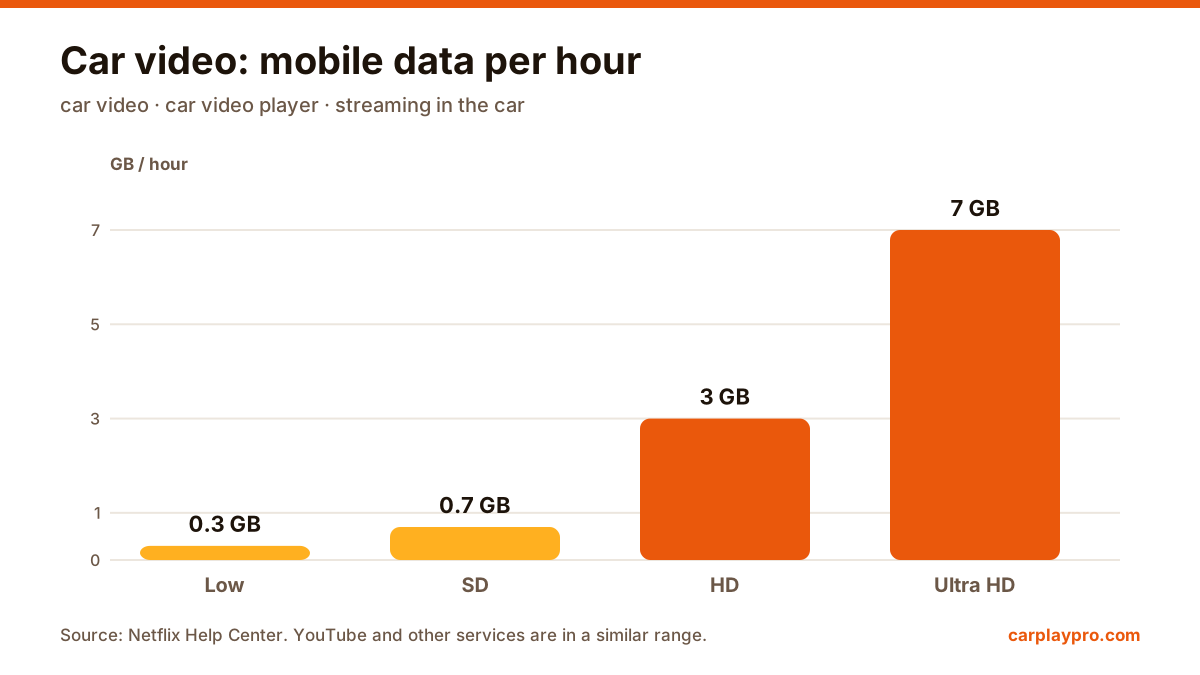
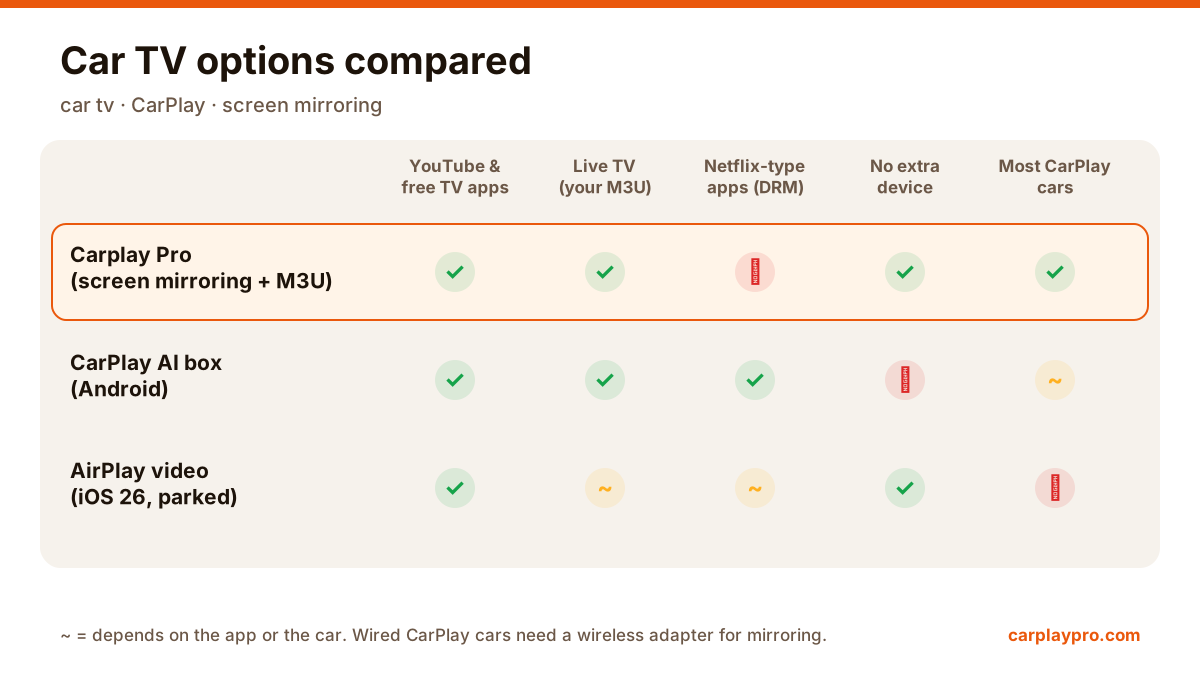
The real ways to play video on a car screen with an iPhone: USB files, screen mirroring, AirPlay in iOS 26, AI boxes and tablets, with data use for each.
Want car TV on the dashboard display? The real options for watching TV in your car with an iPhone, what each needs, and which ones actually work.